Dashboard
MyLiveChat brings AI bot setup, knowledge training, live chat administration, handoff visibility, and billing controls into the same dashboard so teams can launch faster without splitting work across disconnected tools.
Bots
Create bot profiles, choose avatars, shape the start screen, and control how AI introduces itself.
Knowledge
Train from websites, FAQs, and text content, then test replies before exposing changes to visitors.
Operations
Manage agents, departments, handoffs, and service controls in the same place the AI is configured.
The dashboard is where teams turn AI from an idea into a real workflow: start screen, prompt chips, disclaimer copy, and bot identity all live here.
Agents and admins keep the same operational visibility they need for departments, schedules, responses, and handoff continuity.
Treat the dashboard like a control room for refinement: review AI behavior, adjust training, and keep lifting answer quality over time.
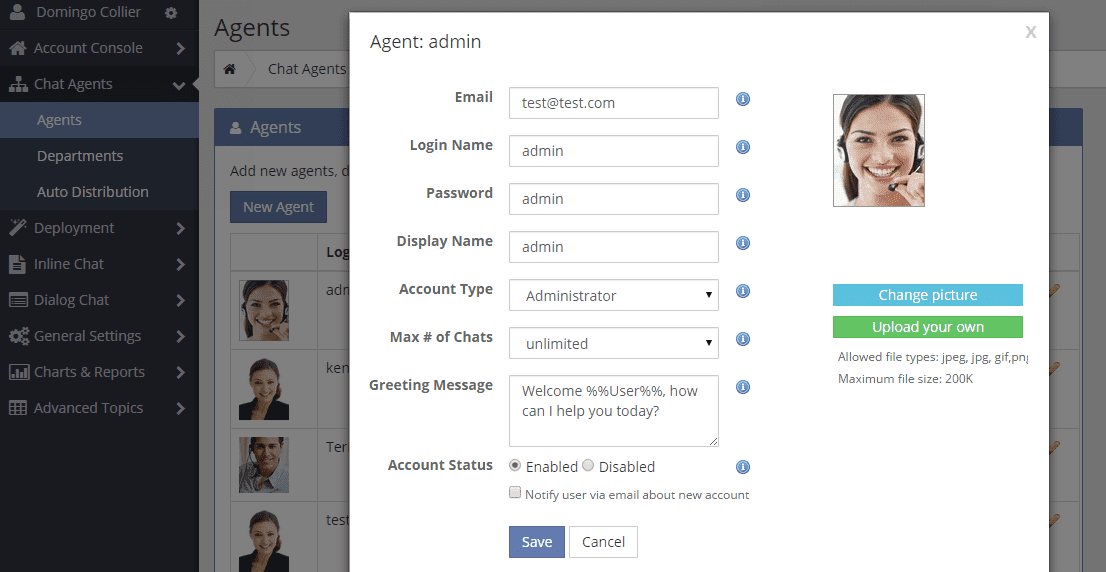
Agent and bot management
Keep the human team, bot settings, and service coverage in the same operational rhythm.

Routing and ownership
Departments and routing controls help decide where the customer goes when AI should escalate.
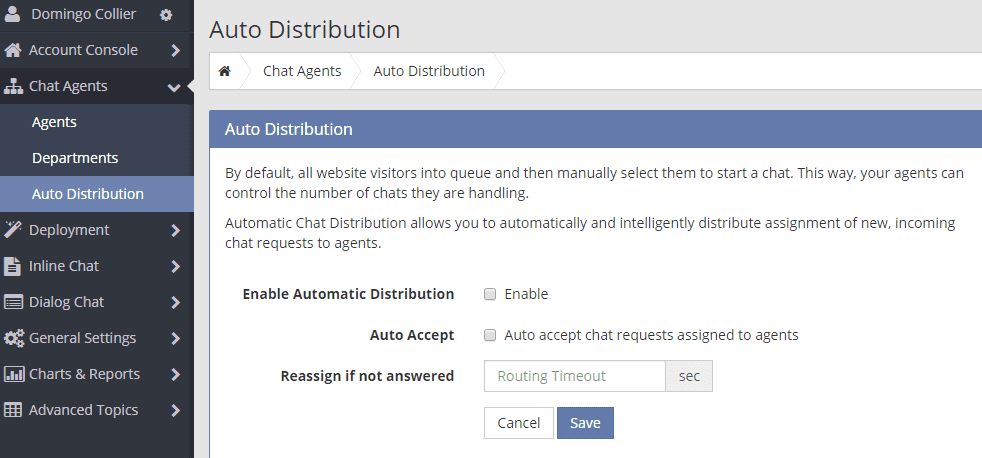
Auto distribution and operating rules make sure conversations land where they should as AI and people work together.
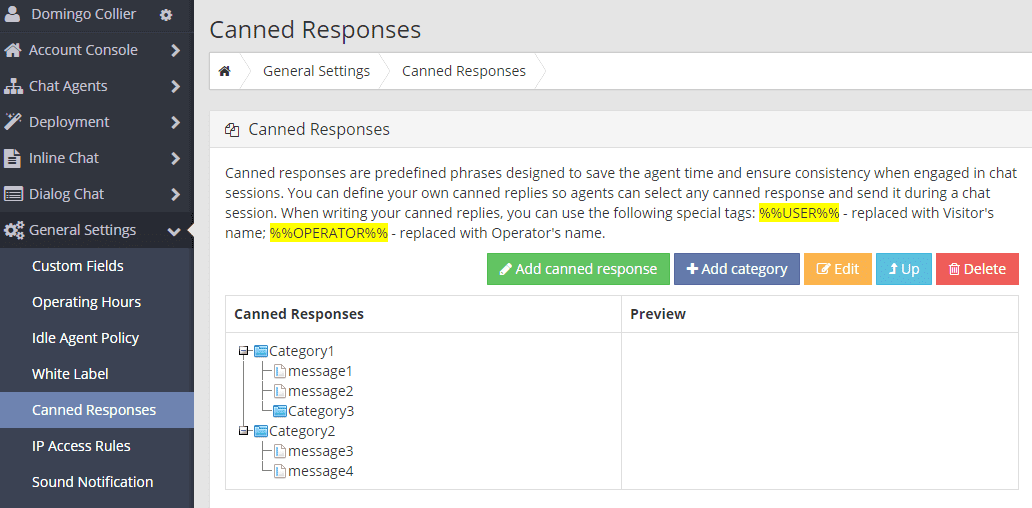
Canned replies, training material, and dashboard-side testing help the team reinforce what the AI should say next.
Setup order
The dashboard puts bot setup, knowledge, agents, departments and routing in one place, which makes it tempting to start wherever the interface catches your eye. There is an order that costs less. Decide the shape of your team first, because departments and routing are what everything else attaches to, and changing them later means revisiting invitations, hours and reporting at the same time.
A sensible sequence is departments, then people, then hours, then knowledge, then bot behaviour, then the widget itself. Each step depends on the one before it. Choosing bot behaviour before you know where an escalated conversation should land produces a bot that hands over into nowhere, which is the failure customers notice fastest.
- Departments and routing before agents, because everything hangs off them
- Publish only the hours you can genuinely staff
- Train the knowledge before you tune the bot personality
- Turn the widget on last, once the path behind it is real
Live chat launch checklist
Routing, departments and skills
Roles and access
An account picks up admins faster than anyone intends. The person who set it up, the person who took over, a manager who needed one report and a developer who did the install all end up with access nobody has looked at since. It is worth reviewing that list on a schedule rather than after an incident.
The practical version of this is small. Keep a written note of who holds admin access and why, remove people when they change roles rather than when someone remembers, and treat leaving the company as a same-day task. Offboarding is the step teams skip, and it is the one that matters most, because a departed agent with a live console session is a real exposure rather than a theoretical one.
- A written list of who has admin access, reviewed on a schedule
- Remove access at the moment a role changes, not later
- Treat offboarding an agent as a same-day task
- Keep the escalation path documented so it survives a handover
Live chat access control for teams
Offboarding agents from live chat
The weekly loop
Treating the dashboard as a control room means visiting it on a rhythm rather than when something breaks. A short weekly pass catches the drift that otherwise accumulates for a quarter: a department nobody routes to any more, an agent who left, hours that no longer match the team, canned responses quoting a price that changed.
Pair that with one substantive change per week rather than a list of twenty. Adjust one thing, note what you expected to happen, and check the reporting the following week to see whether it did. Teams that change one variable at a time can actually tell what worked; teams that overhaul everything at once are left guessing.
- A fifteen-minute weekly pass over agents, hours and departments
- One deliberate change per week, with the expected effect written down
- Check canned responses and knowledge for anything quoting stale figures
- Review last week’s change in this week’s numbers before making the next one
Analytics
Writing a live chat SLA
See the AI workspace in action
The dashboard is where rollout strategy becomes daily operations.